Why Does My Wireless Meat Thermometer Keep Disconnecting?


 288 Comments


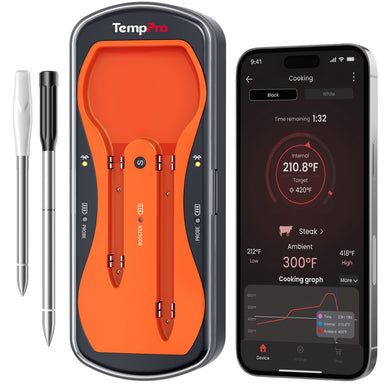
In the middle of a backyard BBQ, your wireless meat thermometer should be the one thing you don't have to worry about. It's supposed to give you freedom, letting you relax, mingle, or prep sides while your food cooks to perfection.
However, when the connection keeps dropping, that convenience quickly turns into frustration. You miss temperature alerts, overcook your steak, or worse, ruin an expensive brisket.
The truth is, most wireless meat thermometer's disconnection issues are not random. They usually come from a handful of predictable causes. Once you understand them, you can fix the problem quickly and prevent it from happening again.
7 Reasons about Why Your Wireless Meat Thermometer Loses Connection
Wireless meat thermometers rely on signals, say Bluetooth, Wi-Fi, and RF, to communicate between the probe, transmitter, and your device. These signals are invisible, but they're highly sensitive to distance, obstacles, interference, and power conditions.
So when your wireless meat thermometer disconnects, it's usually because something is weakening or interrupting that signal path. Let's break down the most common causes and and how to fix them effectively.
Wireless Range Limitations
One of the most misunderstood issues is wireless range. Many users assume their wireless meat thermometer will work anywhere in the house or even outside it, but that's rarely the case.
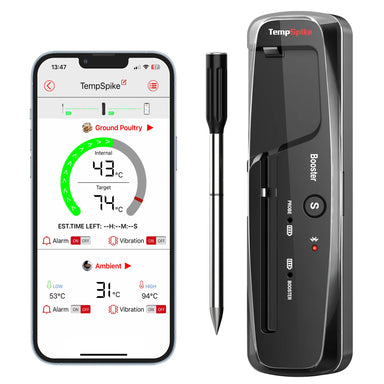
If your meat thermometer connects directly to your phone via Bluetooth, you are bound by strict distance limitations, for example the TempSpike Plus TP970 enables you to monitor your cooking from up to 600ft away. The Bluetooth connectivity will disconnect when you're out of the range. The range is for a clear line of sight in an open field. Introduce a brick exterior wall, double-paned glass windows, and a refrigerator between you and the grill, and that real-world range is often much shorter. When you walk too far away, the signal gradually weakens until it drops completely.

Why this happens:
- Signal strength decreases rapidly with distance
- Walls, furniture, and appliances absorb or scatter signals
- Outdoor environments introduce additional interference
What you can do:
- Stay within a realistic working range.
- Keep your phone or receiver on the same side of the house or yard.
- Test your range before starting a long cook.
- If you frequently move around, consider upgrading to RF or Wi-Fi meat thermometer.
Signal Interference: The Invisible Traffic Jam
Summer BBQs often mean more people and more devices. Every smartphone, tablet, smart speaker, and Wi-Fi router is competing for signal space.
Your wireless meat thermometer's connection can get "crowded out," especially in neighborhoods with dense Wi-Fi usage. What's really happening: Bluetooth and Wi-Fi operate on shared frequency bands. Too many devices create overlapping signals. This causes lag, instability, or sudden disconnects How to fix it:
- Move your wireless meat thermometer away from routers or smart hubs.
- Avoid placing it near microwaves or large electronics.
- Switch your router to a less congested channel (if using Wi-Fi).
- Turn off unused Bluetooth devices nearby.
If your connection drops only during gatherings, but works fine otherwise, interference is almost certainly the culprit.
Low Battery Power: The Overlooked Cause
A weak battery doesn't just shorten usage time. But it directly affects signal strength and stability. Many users don't realize their wireless cooking thermometer is disconnecting simply because it's running low on power.
Why low battery causes disconnects:
- Reduced transmission strength
- Inconsistent signal output
- Increased likelihood of random shutdowns
Signs this might be your issue:
- Frequent disconnects during longer cooks
- Device reconnects briefly, then drops again
- Battery indicator shows low or fluctuating levels
Simple fixes:
- Fully charge probes and transmitters before cooking
- Replace disposable batteries regularly
- Avoid starting long cooks, like ribs or brisket below 50% battery
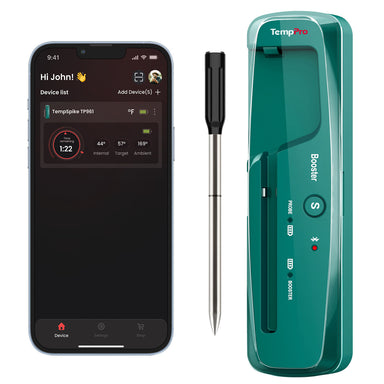
Think of battery life as your foundation. If it's unstable, everything else will be too. The TempSpike Pro Wi-Fi Meat Thermometer features up to four fully wireless probes, each delivering up to 36 hours of continuous cooking time. Its powerful booster provides up to 20 hours of battery life, making it ideal for long smoking sessions, overnight cooks, and all-day BBQs without interruption.

Physical Obstructions: When Your Grill/Smoker Becomes a Signal Blocker
Here's something many users overlook: your grill or smoker itself can be the problem.
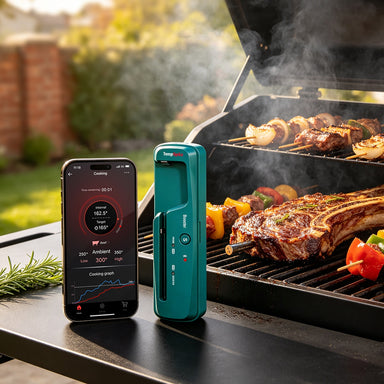
Metal is one of the biggest enemies of wireless signals. When you place a probe inside a closed grill, you're essentially putting it inside a metal box, like a mini signal cage.
What's happening:
- Metal reflects and absorbs radio signals
- Closed lids trap signals inside
- Thick smokers amplify the problem
How to improve connectivity:
- Position the transmitter outside the grill whenever possible
- Keep the receiver or phone in direct line-of-sight
- Slightly adjust placement to find a stronger signal path
Even small changes, like moving your receiver a few feet, can make a noticeable difference.
App and Firmware Issues
Not all disconnects are physical, sometimes the issue is digital. Bluetooth wireless meat thermometers rely on apps and internal firmware to function properly. If either is outdated or buggy, your connection may drop unexpectedly.
Common software-related problems:
- App crashes or freezes.
- Firmware compatibility issues.
- Delayed or failed reconnections
How to fix it:
- Update your thermometer app regularly
- Check for firmware updates in the app settings
- Restart your phone and reopen the app
- Reinstall the app if problems persist
If your device disconnects even when you're standing right next to it, app is a likely suspect.
Smartphone Settings: Hidden Restrictions You Didn't Know About
Modern smartphones are designed to save battery and sometimes that works against you. Features like battery saver mode or background app restrictions can silently cut off your thermometer's connection.
What might be happening:
- Bluetooth is paused when the screen is off
- Background apps are limited or shut down
- Permissions prevent the app from maintaining a connection
What you should check:
- Disable battery optimization for your meat thermometer app
- Allow background activity and notifications
- Keep Bluetooth and Wi-Fi fully enabled
- Avoid closing the app while cooking
These settings are easy to overlook, but they can completely disrupt your experience.
Pairing and Setup Error
Sometimes the issue starts right at the beginning. If your wireless meat thermometer wasn't paired correctly or if multiple devices are trying to connect, you may experience unstable performance from the start.
Why setup matters:
- Bluetooth devices often support limited connections
- Incorrect pairing can cause signal conflicts
- Old connection data can interfere with new sessions
How to fix it properly:
- Reset the food thermometer to factory settings
- Remove old pairings from your phone
- Reconnect step-by-step following instructions
- Avoid connecting multiple phones simultaneously
A clean setup often solves persistent, hard-to-explain disconnect issues.
When to Contact Customer Support
If you've tried everything on this list and your thermometer still keeps disconnecting, it might be time to reach out to the manufacturer.
Contact support if:
-
The probe shows physical damage (loose parts, visible cracks).
-
The charger won't light up even with fresh batteries.
-
You've cleaned, charged, and updated everything, but the problem persists.
-
The device is still under warranty.
Final Thoughts
Wireless meat thermometer disconnects can feel unpredictable, but they're rarely random. In most cases, the problem comes down to range, interference, power, or setup. Once you identify which one applies to your situation, the fix is usually simple.
Before your next cook, take a few minutes to:
- Check your battery
- Test your connection range
- Optimize placement
- Update your app
These small steps can make the difference between a frustrating cook and a seamless one.
A reliable wireless meat thermometer helps you cook smarter and easier. When your connection is stable, you can step away from the grill, trust your readings, and focus on enjoying the moment whether that's hosting friends, spending time with family, or simply relaxing on a summer evening.
Fix the disconnects, and you'll unlock the full potential of your cooking setup.


Comments

Recommended Products