How to Check Humidity in a Hotel Room While Traveling


 288 Comments


The easiest way to check humidity in a hotel room is to use a digital hygrometer. Place it in the room away from windows, vents, bathrooms, or direct sunlight, then wait a few minutes for a stable reading. For most indoor spaces, a relative humidity level of 30%-50% is generally comfortable. If the reading is too high, use the room’s air conditioning or ventilation to reduce moisture. If it is too low, a humidifier or other source of moisture can help make the room more comfortable.
When you check into a hotel after a long flight or road trip, you probably think about the bed, the shower, the room temperature, and whether the air conditioner is working. But there is another part of your room that can affect how comfortable you feel: indoor humidity.
A hotel room that feels stuffy, damp, dry, or unusually cold may not have a temperature problem alone. Humidity can also change how the air feels and how comfortable you are while sleeping, relaxing, or getting ready for the next day.
The good news is that you don't have to guess. A digital indoor thermometer hygrometer can tell you the actual temperature and relative humidity in your room within seconds. In this guide, we'll explain why hotel room humidity matters, what humidity level is generally comfortable, how to check it while traveling, and what you can do when your room feels too dry or too humid.
Table of Contents
- Why Does Hotel Room Humidity Matter?
- What Is a Comfortable Humidity Level in a Hotel Room?
- How Hotel Air Conditioning Can Change Humidity
- How to Measure Indoor Humidity in Hotel Room
- Step-by-Step: How to Check Humidity in a Hotel Room
- What to Do If Your Hotel Room Is Too Humid
- What to Do If Your Hotel Room Is Too Dry
- FAQs about Temperature and Humidity in Hotel Room
- Final Thoughts
Why Does Hotel Room Humidity Matter?
Temperature gets most of the attention when people adjust a hotel room, but humidity also affects how the air feels. Think about the difference between a hot, humid summer day and a hot, dry afternoon. The thermometer might show a similar temperature, but the two environments can feel completely different. The same thing can happen inside a hotel.
Your room may feel:
- Too humid: The air feels damp, sticky, or stuffy.
- Too dry: Your skin, lips, nose, or throat may feel dry.
- Too warm despite the AC: High humidity can make warm conditions feel more uncomfortable.
- Uncomfortably cold: Strong air conditioning can make a room feel chilly, especially when you're sleeping.
Humidity can also change throughout your stay. Taking a hot shower, drying wet clothes, opening the door frequently, or running the HVAC system can all affect the room's temperature and moisture level. That's why simply looking at the thermostat doesn't always tell you the whole story.
What Is a Comfortable Humidity Level in a Hotel Room?
There isn't one humidity percentage that will feel perfect for every traveler. Personal preference, clothing, activity, outdoor weather, and the room's temperature all affect thermal comfort.
As a general indoor guideline, the EPA recommends keeping relative humidity around 30% to 50%, while avoiding levels above 60% when possible. For a hotel room, you can use that range as a practical reference rather than a strict rule.
| Relative Humidity | What You May Notice |
|---|---|
| Below 30% | Air may feel very dry |
| 30%–50% | Generally a comfortable range for many indoor spaces |
| 50%–60% | May still feel comfortable, depending on temperature and personal preference |
| Above 60% | Air may feel damp or stuffy; moisture and condensation become more concerning |
ASHRAE's hotel guidance also shows that recommended guest-room conditions vary by season, with different temperature and humidity design conditions for winter and summer.
So instead of trying to hit one "perfect" number, use humidity as another piece of information when deciding how to make your room more comfortable.
How Hotel Air Conditioning Can Change Humidity
Hotel HVAC systems can have a major effect on indoor conditions.
Air conditioning doesn't just change temperature. Cooling systems can also remove moisture from the air. Heating can make indoor air feel much drier, especially during colder weather.
That's why the same hotel room can feel different depending on the season.
For example, a winter hotel room with the heat running may feel dry even when the outdoor air is cold. A summer room in a humid location may feel damp if the HVAC system isn't controlling moisture effectively.
A thermometer hygrometer gives you actual measurements instead of relying entirely on how the air feels.
How to Measure Indoor Humidity in Hotel Room
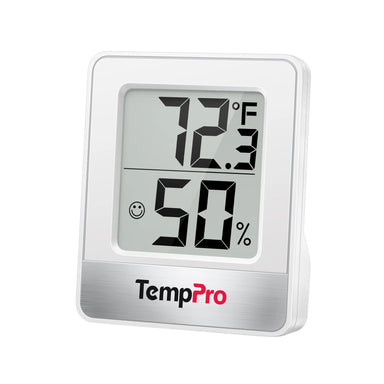
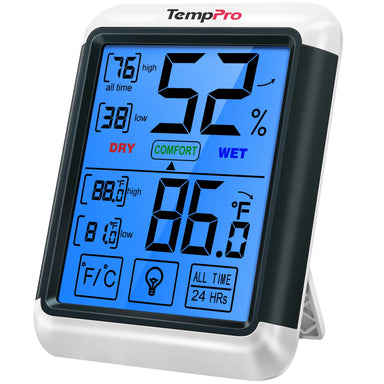
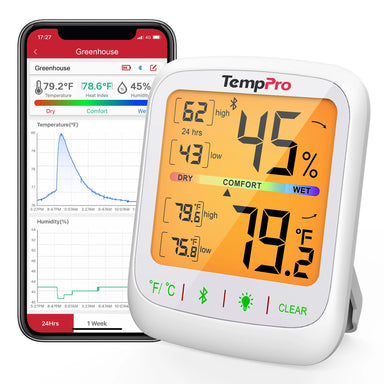
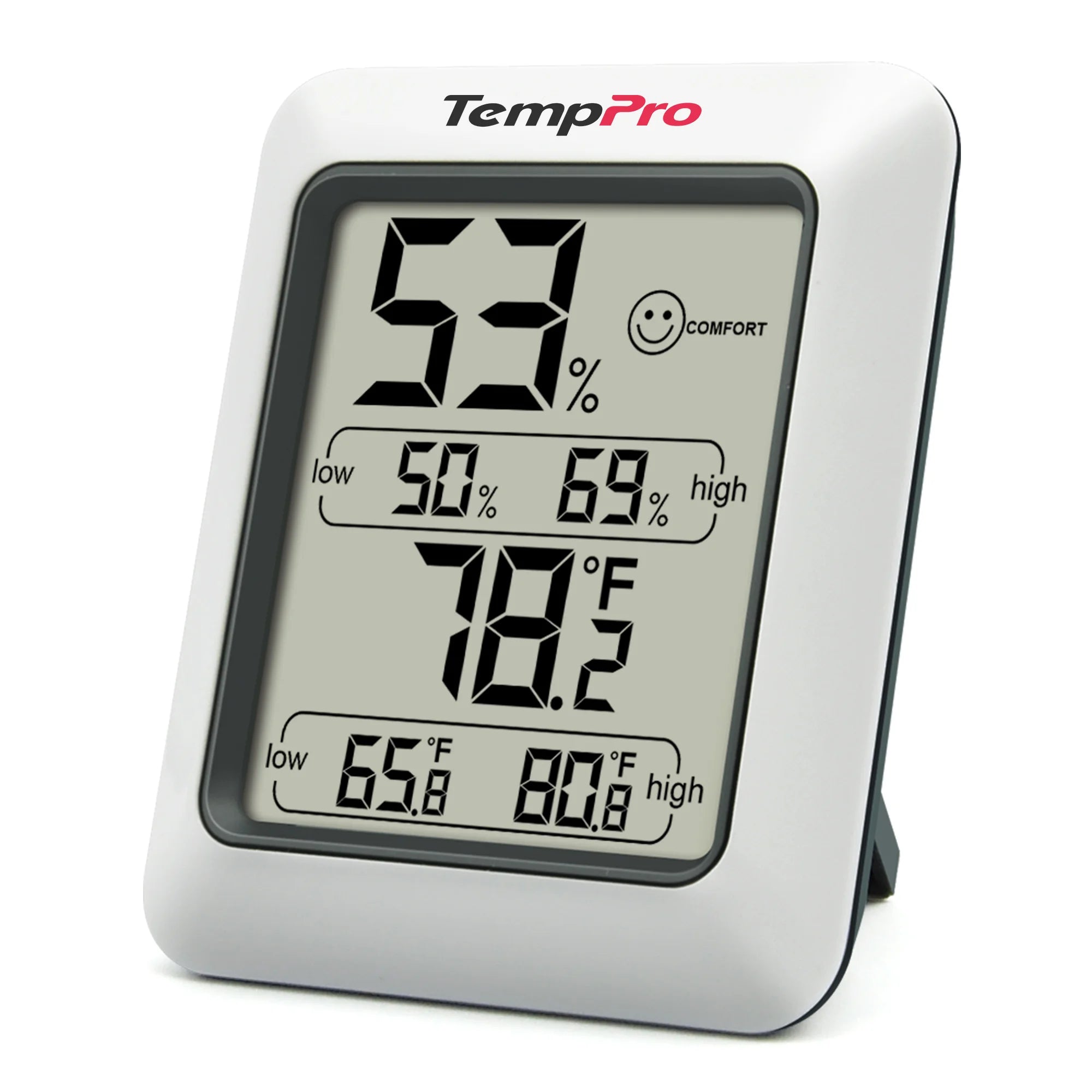
If you want a straightforward way to monitor your hotel room, the TempPro TempAir CORE TP50 Digital Indoor Thermometer Hygrometer combines temperature and humidity monitoring in a compact device.
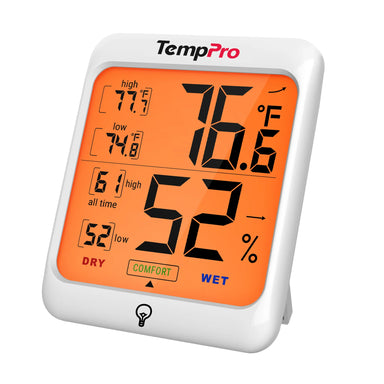
The TempPro TempAir CORE TP50 provides ±1°F temperature accuracy and ±2% RH humidity accuracy, with readings updated every 10 seconds. It also records high and low temperature and humidity readings, making it useful for checking how conditions change during your stay.
Why the TempPro TempAir CORE TP50 Works Well for Hotel Rooms
- Fast 10-second updates: the TempPro TempAir CORE TP50 refreshes temperature and humidity readings every 10 seconds, so you can quickly see whether the room is becoming warmer, cooler, drier, or more humid.
- Accurate humidity monitoring: with humidity accuracy of ±2% RH from 30% to 80% RH, the TP50 gives you a useful reading when you're trying to determine whether the room is unusually dry or humid.
- Dry / Comfortable / Wet indicator: you don't always need to interpret a percentage. The TempPro TempAir CORE TP50's three-level comfort indicator provides a quick visual reference for the current humidity conditions.
- Tracks high and low readings: humidity can change while you're sleeping or away from the room. High and low records help you see whether conditions changed significantly during the day or overnight.
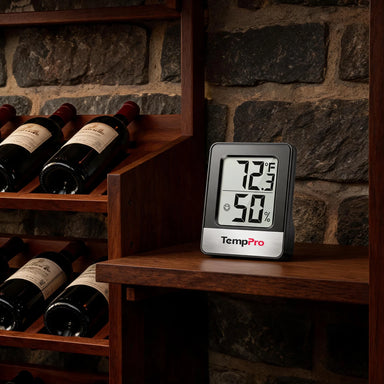
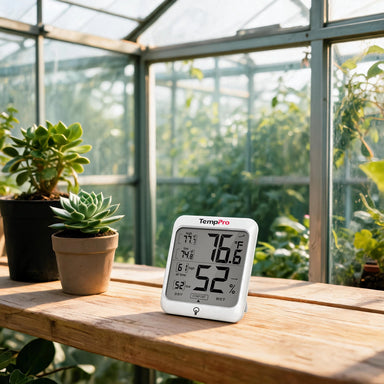
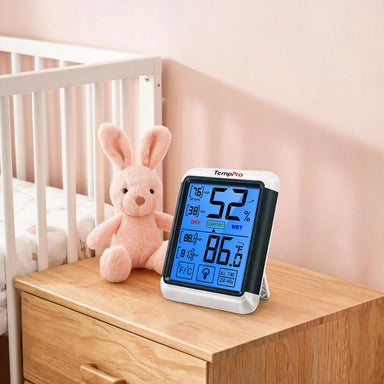
- Flexible placement: you can place it on a tabletop, and attached with its magnetic back. That makes it easy to position on a hotel nightstand, desk, or other convenient location.
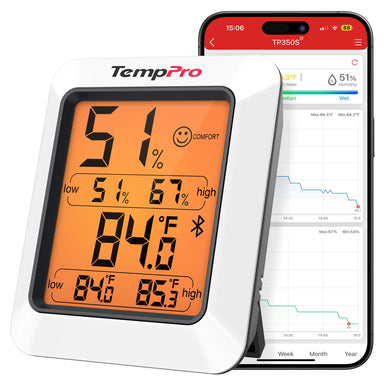
- Simple, no-app operation: the TempPro TempAir CORE TP50 is designed for direct, at-a-glance monitoring. You don't need to open an app or connect it to your phone to check the room.

For travelers who want a simple way to monitor their immediate environment without adding another complicated device to their routine, that simplicity can be a real advantage.
Where Should You Put a Hygrometer in a Hotel Room?
Placement matters if you want a useful reading.
For the most representative measurement, place your hygrometer:
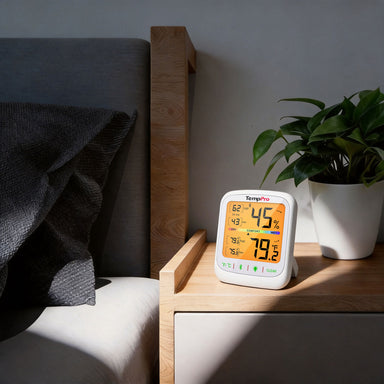
- On a nightstand
- On a desk
- On a dresser
- In another central area of the room
Keep it away from direct airflow and localized moisture. For example, don't place it directly under an AC vent. Don't put it right beside a bathroom shower. And don't leave it in direct sunlight near a window. If your main goal is better sleep, placing it near the bed can make sense, as long as it isn't directly exposed to an AC vent or other heat source.
Step-by-Step: How to Check Humidity in a Hotel Room
The easiest way to check hotel room humidity is to use a digital hygrometer. A hygrometer measures relative humidity, while a thermometer measures temperature. A combination device lets you see both readings at the same time.
Step 1: Let the Room Settle
When you first arrive, don't judge the room immediately.
The door may have been opened repeatedly, the HVAC system may have been running, and the room may have been empty for hours. Give the room a little time to settle after you check in. If possible, wait several minutes before making adjustments based on the reading.
Step 2: Place the Hygrometer in a Good Location
Place the thermometer hygrometer somewhere that represents the room's general conditions. A nightstand, desk, or dresser is usually convenient.
Avoid placing it:
- Directly in front of an AC vent
- Next to a heater
- In direct sunlight
- Directly beside a bathroom door
- Next to a humidifier
- On a wet bathroom counter
These locations can create localized temperature or humidity readings that don't represent the rest of the room.

Step 3: Check Both Temperature and Humidity
Don't look at humidity alone.
For example, 50% RH at 68°F can feel very different from 50% RH at 80°F. Temperature and humidity work together to influence thermal comfort. Check both numbers and then consider how the room actually feels.
Step 4: Check Again After a Shower or Overnight
A single reading tells you what is happening right now. Checking at different times can reveal a pattern. If the humidity rises significantly after showers or overnight, you may need better ventilation or HVAC adjustment.
What to Do If Your Hotel Room Is Too Humid
If your hygrometer shows consistently high humidity and the room feels damp, try a few simple adjustments.
Adjust the Air Conditioner
Many hotel HVAC systems can help remove moisture from the air while cooling the room. If the room feels warm and humid, try adjusting the AC to a comfortable temperature and give the system some time to work. Avoid setting the temperature extremely low just to make the room feel less humid. The goal is a comfortable room, not simply the coldest possible room.
Use the Bathroom Exhaust Fan
If your bathroom has an exhaust fan, turn it on during and after a hot shower. Showers add moisture to indoor air, and ventilation can help remove that moisture. Controlling indoor moisture and ventilation is also an important part of reducing excess humidity.
Hang Wet Towels Properly
Don't leave wet towels piled on the floor or furniture. Hang them where they can dry properly, and use the hotel's towel-drying or ventilation options when available.
Ask the Hotel for Help
If the room remains unusually damp, smells musty, has visible condensation, or appears to have a moisture problem, contact the front desk. A portable hygrometer can help you identify unusual conditions, but it isn't a replacement for hotel maintenance when there is a leak, HVAC problem, or other building issue.
What to Do If Your Hotel Room Is Too Dry
Low humidity can also make a room uncomfortable. This is particularly noticeable when traveling during cold weather or staying somewhere with strong heating or air conditioning.
You may notice dry skin, chapped lips, a dry-feeling throat, static electricity, an overall dry or uncomfortable feeling. If the room feels excessively dry, check the humidity before assuming you need a humidifier.
If the hotel allows it, a small humidifier may help raise humidity. However, avoid adding moisture blindly. A hygrometer lets you see whether humidity is actually low and helps you avoid making the room unnecessarily humid.
FAQs about Temperature and Humidity in Hotel Room
What is the ideal humidity for a hotel room?
There isn't one perfect humidity level for every traveler, but 30%-50% RH is a useful general indoor comfort and moisture-control target. The EPA recommends keeping indoor humidity in this range when possible and below 60% to help control moisture.
How can I tell if my hotel room is too humid?
A digital hygrometer is the easiest way to check. A consistently high reading, especially above 60% RH, combined with a damp or stuffy feeling or condensation, can indicate excess moisture.
Is 60% humidity too high for a hotel room?
60% RH isn't an automatic indication that a room is unsafe or unacceptable, but it is a useful point to pay attention to. The EPA recommends keeping indoor humidity below 60%, ideally between 30% and 50%.
Can hotel AC reduce humidity?
Yes. Air-conditioning systems can remove moisture as they cool air. How effectively they control humidity depends on the HVAC system, room conditions, and operating settings.
Should I bring a hygrometer when traveling?
You don't need one for every trip, but a compact hygrometer can be useful for frequent travelers, long hotel stays, RV trips, vacation rentals, or travel to very humid or dry climates.
Where should I place a hygrometer in a hotel room?
Place it somewhere representative of the room, such as a nightstand or desk. Keep it away from direct sunlight, AC vents, heaters, and sources of moisture such as showers.
Can a hygrometer tell me whether a hotel room is healthy?
A hygrometer only measures temperature and humidity. It cannot test mold, allergens, pollutants, or overall indoor air quality. It is best used as a simple tool for monitoring moisture and comfort conditions.
Can the TempPro TempAir CORE TP50 monitor humidity overnight?
Yes. The TempPro TempAir CORE TP50 can track high and low temperature and humidity readings, allowing you to check how conditions changed while you were sleeping or away from the room.
Final Thoughts
A comfortable hotel room is about more than setting the thermostat to the right temperature. Indoor Humidity also plays an important role in how the room feels, especially when you're traveling between different climates and seasons.
Instead of guessing whether the air is too dry or too humid, use a digital thermometer hygrometer to check the actual conditions. From there, simple changes such as adjusting the AC, improving bathroom ventilation, or using a humidifier when appropriate can help create a more comfortable space for sleeping and relaxing.
The TempPro TempAir CORE TP50 makes this easy with accurate temperature and humidity readings, fast updates, high/low records, and a simple comfort indicator. Small enough to take along on a trip and simple enough to use without an app, it's a practical tool for travelers who want to know what the air in their hotel room is actually like.

Comments


Recommended Products